
When you see this message, it means you are on iRacing Web (https://members-ng.iracing.com/) on a web browser (like Google Chrome, Firefox or Edge).
You need to click the iRacingUI desktop icon:
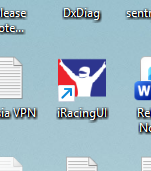
Alternatively you can open Windows File Explorer, navigate to where you have iRacing installed. By default this is
For non Steam accounts: C:/Program Files (x86)/iRacing
For Steam accounts: C:/Program Files (x86)/steam/steamapps/common/iRacing
From there, double-click the application file named "iRacingUI" or "iRacingUI.exe"
Or click: https://iracing.link/