
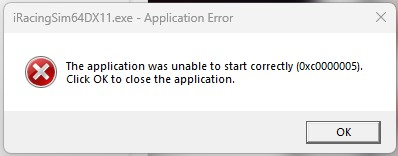
How to Fix:
1. Make sure ALL Windows updates, including the optional ones, are installed and the computer is rebooted without getting any errors.
Open a Windows Command Prompt (as admin) and type: DISM /Online /cleanup-Image /RestoreHealth (then Enter). Be patient, as this can take some time.
After that, type: sfc /scannow and make sure it comes back with finding no corrupted files.
2. Check RAM
Search for Windows Memory Diagnostic in your Start menu.
Select "Restart now and check for problems".
For a more thorough test, use a tool like MemTest86
3. Reinstall/update the graphics card drivers
4. Disable all unnecessary background processes that are running and unplug all unnecessary USB-connected devices (and those that are plugged in, make sure they are connected directly into the PC and not through a HUB).
5. Reinstall iRacing